Survival maps for Minecraft PE
4,0UdálostiAktualizováno 7. října 2026
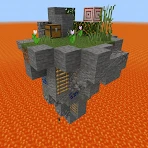
Snímky obrazovky
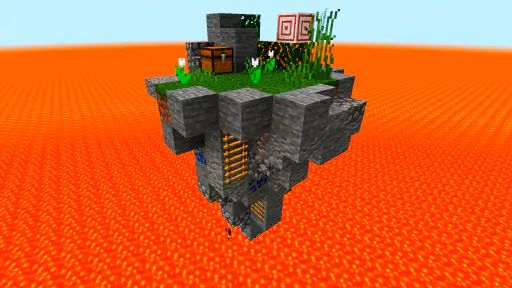
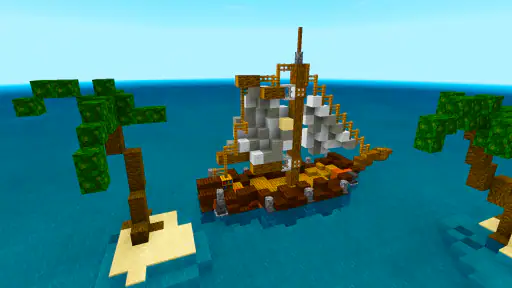
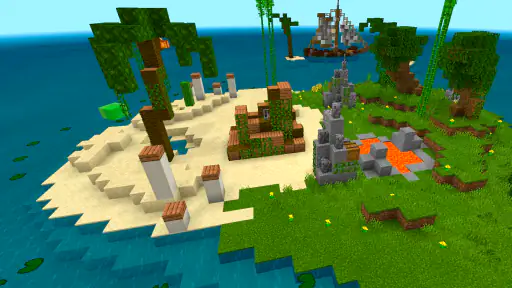
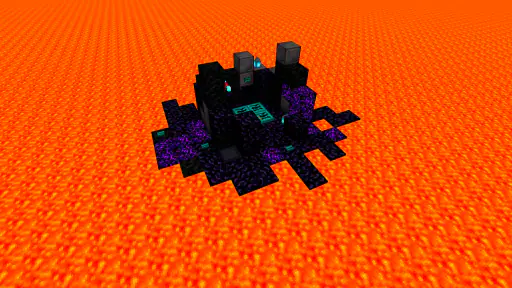
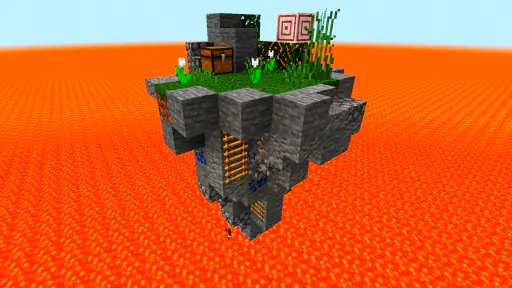
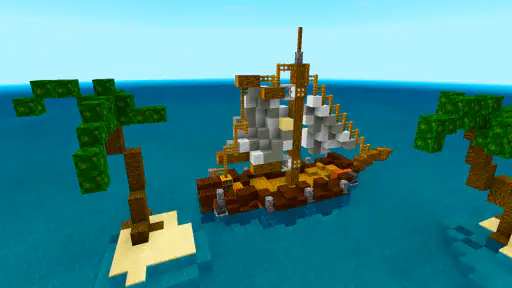
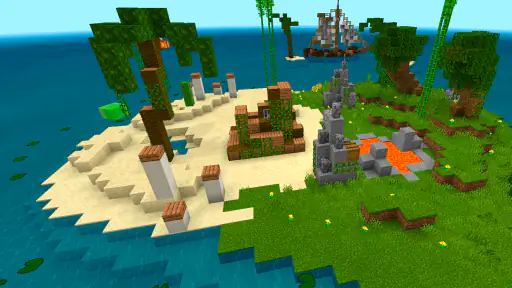
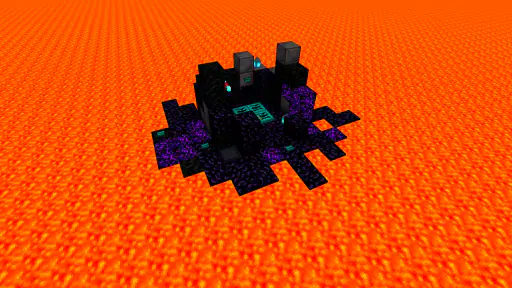
Výhody
- Mapy přidají nové cíle a prostředí
- takže se známé hraní rychle neomrzí.
- Různorodé scénáře umožňují vybrat si výzvu podle vlastních preferencí.
- Stažené mapy lze využít i při hraní s přáteli
- pokud mají stejný obsah.
- U některých map jsou k dispozici pokyny a pravidla pro snadnější začátek.
- Mapy mohou inspirovat k vlastním stavbám a novým způsobům přežití.
Nevýhody
- Kompatibilita map se může lišit podle verze Minecraftu PE.
- Instalace může vyžadovat několik kroků a nemusí být pro každého intuitivní.
- Kvalita jednotlivých map není vždy stejná; některé mohou působit nedokončeně.
- Část obsahu může vyžadovat další aplikaci nebo otevření v Minecraftu.
- Před stažením se vyplatí ověřit oprávnění a důvěryhodnost zdroje map.
 Analýza od Mobexer
Survival maps for Minecraft PE is a focused companion for players who want a new survival setting without searching through map pages and handling a complicated installation. I like the basic idea: find a map, install it with a short process, then get back to Minecraft. That convenience is its clearest strength, but it also defines the app’s limits. This is a map-finding tool, not a replacement for Minecraft or a guarantee that every listed world will suit your taste.
Quick route from browsing to a new world
What the app is best at
In my experience, the most useful part of an app like this is not simply having maps in one place; it is reducing the small bits of friction between deciding to try a new survival challenge and actually starting one. The app is made for Minecraft PE survival maps, and its one-tap installation approach is aimed at people who would rather spend their time playing than sorting out files manually.
That makes it especially handy when I want a change of scenery but do not have a specific map in mind. Instead of committing to one world for a long search session, I can browse for something that catches my eye and treat it as a low-effort experiment. A new setting can refresh a familiar survival routine: gathering resources, finding shelter, and deciding how to make progress feel different from the usual world.
There is a practical distinction worth keeping in mind: the app helps with discovery and installation, while the actual experience takes place in Minecraft PE. If a map looks promising, I would still think about whether its premise fits the way I play. A player who enjoys starting from scratch may want a very different world from someone who prefers a particular challenge or a carefully planned build. Choosing with that in mind is more useful than installing every appealing thumbnail.
Convenience has a trade-off
The quick-install focus is a real advantage for casual players, younger users, or anyone who finds manual map handling tedious. It also makes the app easier to recommend as a starting point for people who have not previously looked for custom worlds. AndiQwer is the developer, and the app is listed as a free download, so trying it does not require paying upfront.
Still, “one tap” should be understood as a simpler route, not as a promise that every step is invisible or that every map will work identically on every device. Minecraft PE needs to be part of the process, and users should expect to move between the map app and the game as needed. If an installation does not lead straight into the world, checking that Minecraft is installed and ready is a sensible first step rather than assuming the map itself is broken.
My practical tip is to install one map at a time and open it before collecting more. That keeps it easier to identify which world you want to play, and it avoids turning a quick browse into a confusing pile of options. It is also a useful way to decide whether this app’s map selection and installation flow suit you before making it part of your regular Minecraft routine.
Where it fits among alternatives
The usual alternative is to search the web or community sources for maps, then download and manage them yourself. That route can give experienced players more control over what they choose and where files come from, but it takes more patience and care. Survival maps for Minecraft PE is more appealing when convenience matters more than fine-grained control.
On the other hand, players who already know exactly what kind of map they want may prefer a direct search through their familiar communities. A dedicated map app can make browsing easier, but it cannot replace the value of reading detailed descriptions or comparing a creator’s work when those details matter to you. I would use this app for quick discovery, and turn to more deliberate research when I am choosing a world for a long-running playthrough.
That difference matters most for users who are particular about compatibility or map design. A quick installation route is helpful, but it does not remove the need to consider whether the content is appropriate for your version of Minecraft PE or whether its style matches your expectations. If you want certainty before every download, a slower, more research-heavy approach may be the better fit.
Who will get the most out of it
I would recommend it to Minecraft PE players who enjoy survival but sometimes feel that standard worlds are getting repetitive. It is also a reasonable option for someone who wants to try custom maps without first learning a manual file workflow. The app is categorized around events, but its purpose here is clearly connected to finding survival maps rather than tracking real-world happenings.
It can work well in an everyday situation: you have a short stretch of free time, want to play Minecraft, but do not feel like beginning another ordinary world. Browsing for a different survival setting gives you a focused next step. Rather than spending that time planning a large project, you can pick a map, install it, and see whether its environment gives you a fresh reason to play.
I would be more cautious about recommending it to someone who expects a broad Minecraft utility with tools for building, managing worlds, or changing gameplay. The app’s appeal is narrower: finding survival maps and making them easier to install. If your main interest is multiplayer coordination, tutorials, or detailed technical control over downloaded content, a different kind of resource is likely to be more useful.
What to know before installing
The app is free, while Google Play billing can involve in-app purchases ranging from 109.99 to 139.99 Kč. I would check the purchase prompt carefully before confirming anything, especially if a child uses the device. The free entry point is convenient, but it is still worth treating optional purchases as a separate decision rather than assuming every part of the experience is necessarily free.
Its age rating is PEGI 12. That is useful context for families deciding whether it is suitable for a younger player, though I would still look at the individual maps and play alongside a child if you want to understand what they are installing. The rating alone does not tell you whether a particular survival scenario will be enjoyable or appropriate for that player.
The app has an average rating of 4.0 from around 17,000 ratings, with about 41 written reviews, and has been installed over five million times. Those figures suggest it has reached a substantial audience, but I would not use popularity as a substitute for checking whether its specific map-browsing approach matches your needs. Its current version is 1.5.0 and it requires Android 6.0 or later, so device compatibility is straightforward to consider before installing.
My verdict
Survival maps for Minecraft PE does one job clearly: it offers a more convenient way to discover and install survival worlds for Minecraft PE. I value that focus, especially for players who want a quick change of pace and do not want to manage map files by hand. Its strongest use is as a low-friction starting point for trying a new world, not as a complete guide to every map or a substitute for Minecraft itself.
The main compromise is that convenience can mean less control than a careful search through specialist communities. I would not choose it as my only resource if compatibility research, detailed creator information, or a very specific map type were essential to me. But for a casual player who wants a fresh survival setting with minimal setup, it is a sensible option to try.
My recommendation: install it if you play Minecraft PE, enjoy survival, and want an easier way to explore new worlds. Browse selectively, try maps one at a time, and use another source when you need more detail before committing. That is where this app makes the most sense: a convenient doorway to a different Minecraft session, rather than the whole journey.
Časté dotazy
Co je aplikace Survival maps for Minecraft PE?
Survival maps for Minecraft PE je aplikace určená hráčům Minecraftu, kteří hledají mapy zaměřené na přežití. Nabízí přístup k mapám vytvořeným pro různé výzvy a herní prostředí, například izolované ostrovy nebo světy s omezenými zdroji. Konkrétní nabídka a způsob instalace se mohou lišit podle verze aplikace. Před stažením si proto ověřte popis, snímky obrazovky a datum poslední aktualizace.
Jak nainstaluji mapu do Minecraftu PE?
Postup závisí na zařízení, verzi Minecraftu a formátu mapy. Některé mapy lze otevřít přímo po stažení, zatímco jiné je nutné importovat do hry nebo přesunout do příslušné složky. Aplikace by měla uvádět pokyny pro instalaci; pokud se mapa po otevření nezobrazí, zkontrolujte oprávnění, kompatibilitu a případně restartujte Minecraft. Vždy postupujte podle aktuálních instrukcí aplikace.
Je Survival maps for Minecraft PE zdarma a obsahuje reklamy?
Cena i způsob financování se mohou měnit podle obchodu, regionu a aktuální verze aplikace. Před instalací zkontrolujte stránku aplikace v Google Play nebo App Storu, kde najdete informace o ceně, nákupech v aplikaci a případných reklamách. Bezplatné stažení nemusí znamenat, že jsou všechny funkce nebo obsah dostupné zdarma. Přečtěte si také nedávné uživatelské recenze, které mohou upozornit na rušivé reklamy.
Funguje aplikace se všemi verzemi Minecraftu PE a na každém zařízení?
Kompatibilita není zaručena pro každou verzi Minecraftu ani pro všechna zařízení. Mapy mohou být vytvořené pro konkrétní verzi hry a někdy se po aktualizaci Minecraftu načtou nesprávně nebo vůbec. Před stažením si ověřte požadavky uvedené v obchodě a informace vývojáře. Pokud aplikace mapu nabízí, ale import se nedaří, může pomoci aktualizace hry či aplikace, avšak u nepodporovaných verzí problém přetrvá.
Je bezpečné stáhnout mapy a jaká oprávnění aplikace potřebuje?
Aplikaci stahujte z oficiálního obchodu a před instalací si zkontrolujte jméno vývojáře, recenze i požadovaná oprávnění. U map může být potřeba přístup k souborům, aby je aplikace mohla uložit nebo předat Minecraftu, ale neobvyklá oprávnění si zaslouží zvýšenou pozornost. Samotná přítomnost v obchodě není zárukou bezproblémového obsahu. Nezadávejte citlivé údaje a mapy instalujte pouze způsobem popsaným aplikací.